To score a test
- To go to the TestNav Score page, do one of the following:
- As a teacher: Go to Assessments > Assessment Dashboard. Click the Actions button for a test, and then click Score.
- As an administrator: Go to Assessments > Score Responses and click the score icon to the left of the test name. You can also go to Test Detail > Score Test, and then search for a student or section to score.
The option to score a test may be not be available depending on your roles and operations or restrictions that have been applied to the test.
- If a student has not yet started a test, you can do one of the following to score the test:
- Enter scores on this page without starting the test. After entering a score, the Start Test button will no longer be available.
- Click the Start Test button to start the test and enter answers on behalf of the student. This will allow you to access all the tools and accommodations available to the student. If you close the test before submitting it, only you or the student can continue the test.
- You can score the test manually or upload a file with student responses:
- Manual: Select a student to score and follow the steps below.
- Upload: Click Upload Scores to upload a comma-separated (CSV) file containing student responses.
- For manual scoring, you can:
- Click the By Student's Test tab to view and score all questions for each student. Click a student name to view the test questions for that student, and then click a test item to view the question. To view only manually scorable questions on this tab, click the Manually Scorable Questions Only checkbox. For manually scorable questions, you can switch between the default scoring layout and the side-by-side scoring layout (only on the By Student's Test tab).
- Click the By Manually Scorable Questions tab to view only the items that require manual scoring, such as Open Response questions. Click a test item number to enter a score for each student, or click Next/Previous Question at the bottom of the page. Click the Question label at the top to expand the question content. You can expand or collapse student answers, and choose whether to show the comments area to enter comments for students and parents. When you go to this tab, student answers will be expanded only if they have not yet been scored, and closed if they have already been scored. Click View Full Response to see the student's full response in a separate window -- the question content, including any highlighting the student made, will be shown here.
If answer choices were scrambled on the test, student highlighting will appear only on passages, and not on question content or responses.
- Enter a Score for each student response that requires manual scoring. The score is determined during the test creation process and may include up to two decimal places. Each activity for a task item can be scored separately. In order to complete scoring a test, you do not need to score all activities that are associated with task items (except Open Response activities that are attached to rubrics). Note the following:
- For items that use rubrics, choose the performance level or group to determine the points that are awarded for the response.
- Partial scores for activities within Open Response items that use rubrics for scoring are NOT allowed.
- You can enter a comment to share with students and parents.
- If all-or-none scoring is used, this is indicated next to Scoring model at the top of the question.
- Tasks can use the default scoring model or pattern scoring model. The default scoring model allows students to receive points for each activity they get correct. Tasks with pattern scoring have two and only two activities. Activity A will award points if it is correct. Activity B will award points only if activity A is also correct. You cannot manually award points for activity B if activity A is incorrect.
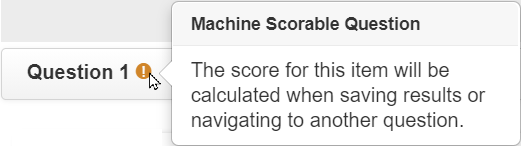
- Click Save Results before navigating away from the current tab or page. Your scores will be saved as you move from question to question. A notification will appear if you need to save changes before leaving the page.
- Other actions you can take:
- Edit a student's response: Click the student name and update the submitted responses to individual questions (you can do this only if you have permission to update student responses). You will not be able to edit score sheets for students with an online test in a paused state.
- Export Student Responses (for a single item) or Export Student Responses for all Questions: Export student responses for one or all open response questions in PDF format. The exported document will not contain question content, rubric content, or student comments. This option is available only on the By Manually Scorable Questions tab.
- View Correct Answer: Click to view the correct response. Click Apply Correct Answer to change the student's answer to the correct response (you can do this only if you have permission to update student responses).
- Student Notes: Click to see any notes the students made as they answered the question.
- Full Rubric View: Click to view rubric details to assist with scoring. Click Quick Score View to return to the simplified view.
- Item Comment and End of Test Comment: Click to view a student's comments on individual test items or the entire test.
- Submit Pending Test:Teachers can click this button to submit a test that was started but not yet submitted so that it can be scored. If a teacher started the test, the same teacher will also have the option to continue the test.
If a student's test was interrupted for valid reason (such as an internet outage) and the scheduling settings do not allow students to resume the test, the option Allow the student to resume this test will appear. Select Yes to allow a student to resume their test (for one time only) from the Take a Test widget. You can undo this by clicking No. Do not change this setting while a student is actively testing.
- Delete Student Test Results: Click to clear a student's responses and allow the student to restart the test online.
- Resume Test: Click to retain a student's responses and allow the student to resume the test. Once a test has been resumed, teachers cannot make changes to the student's recorded score until the test has been resubmitted.
- Scoring Instructions and Exemplars: Expand to view scoring instructions and examples of exemplary student answers. Exemplars may be attached files. If an attached file cannot be displayed, you can click the file to download it.
- Student Self-Assessment: Click the down arrow to expand the Student Self-Assessment area. You can edit a student's self-assessment score and view comments that students made about the question. You should still assign your own score to the question in the Score area. The Student Self-Assessment area will appear only if self assessments are enabled for the test. Self assessments allow students to score their own Open Response answers by comparing their answers to specific scoring criteria for each question (via rubrics).